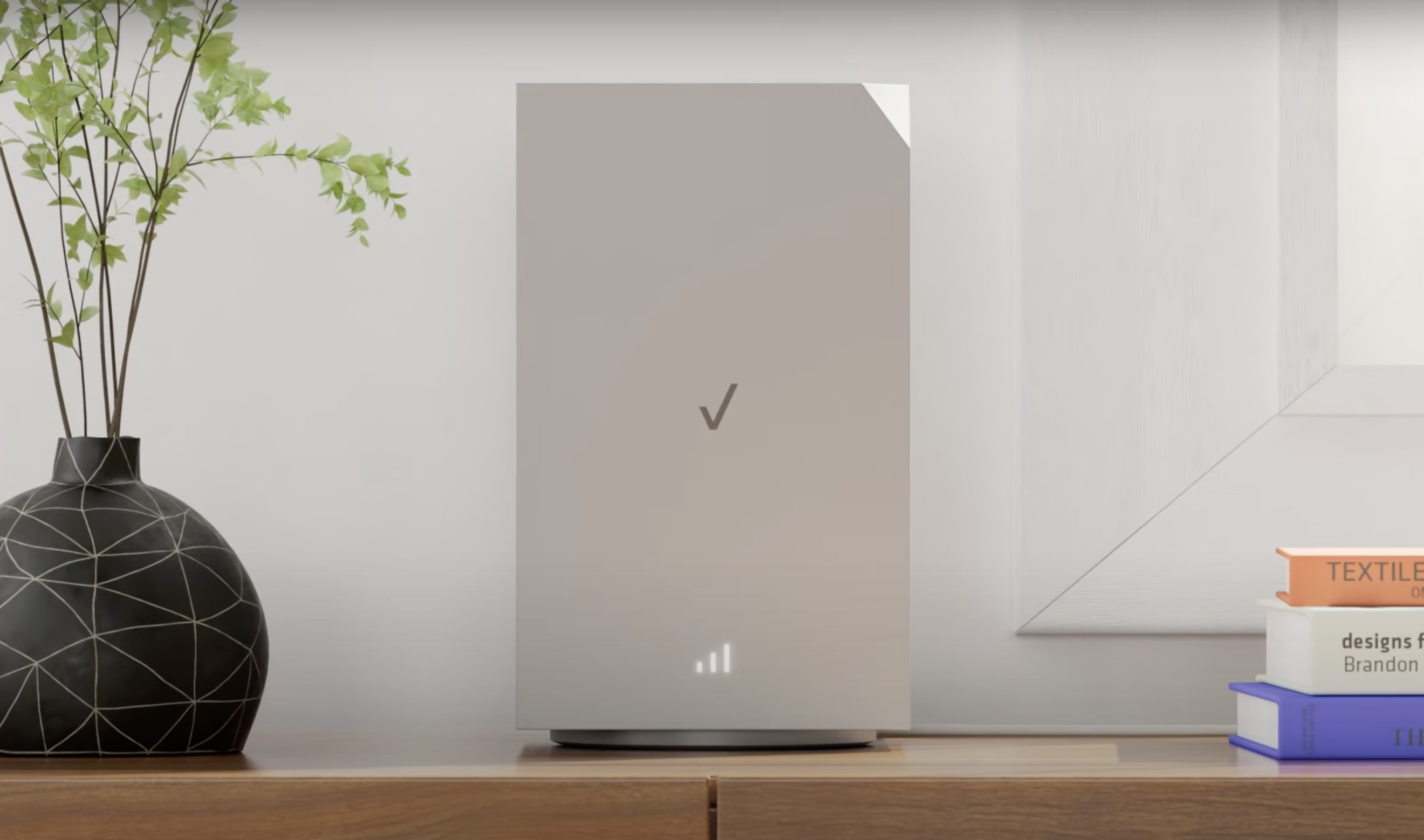
Installing a 5G router was more complex than expected. Many users struggled with placing the router correctly, leading to complaints about poor speeds and a high return rate. A misunderstanding about 5G technology contributed to the issue—users often assumed placement was the same as for non-5G routers, not realizing that 5G routers need to be placed closer to an antenna for optimal performance. Research showed that there was a disconnect between users and how 5G works.
Understanding that users desired a product that "just works," I set out to design an on-router interface that would guide users through router installation with minimal reliance on customer service or an app—ensuring the process was quick and seamless.
The Challenge: Many customers struggled to install their 5G home internet routers without the mobile app, leading to high drop-off rates and customer support calls.
Current Landscape: Traditional ISP setups relied on technician installations or app-based instructions, leaving non-app users frustrated. Competitors had mixed approaches, but few prioritized non-app pathways.
Plan of Action
Identify Key User Pain Points:
Understand why users abandoned setup. Was it router placement and or signal optimization?
Frictionless Setup Flow:
Clear on-device guidance. Improve router placement guidance (biggest impact on performance)
Path forward
By removing reliance on the app, we empowered more users to self-install successfully, reducing support costs and increasing customer satisfaction.
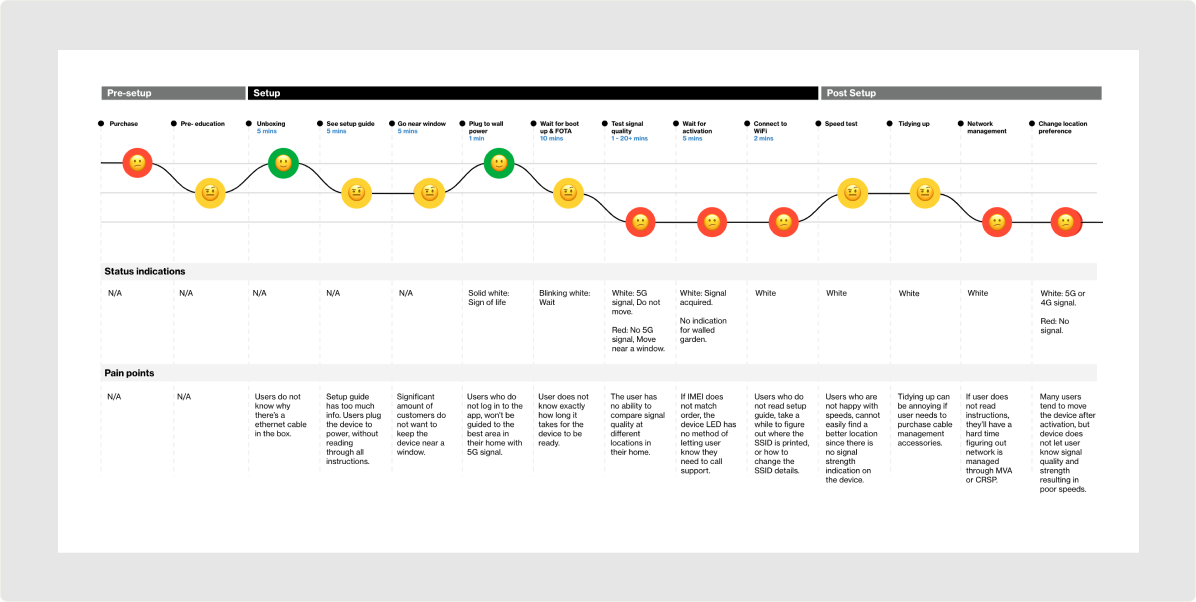
Our goal was to simplify the installation process, especially for users who opted not to use the app, and to educate them on the importance of correct router placement to improve performance and reduce complaints and returns.
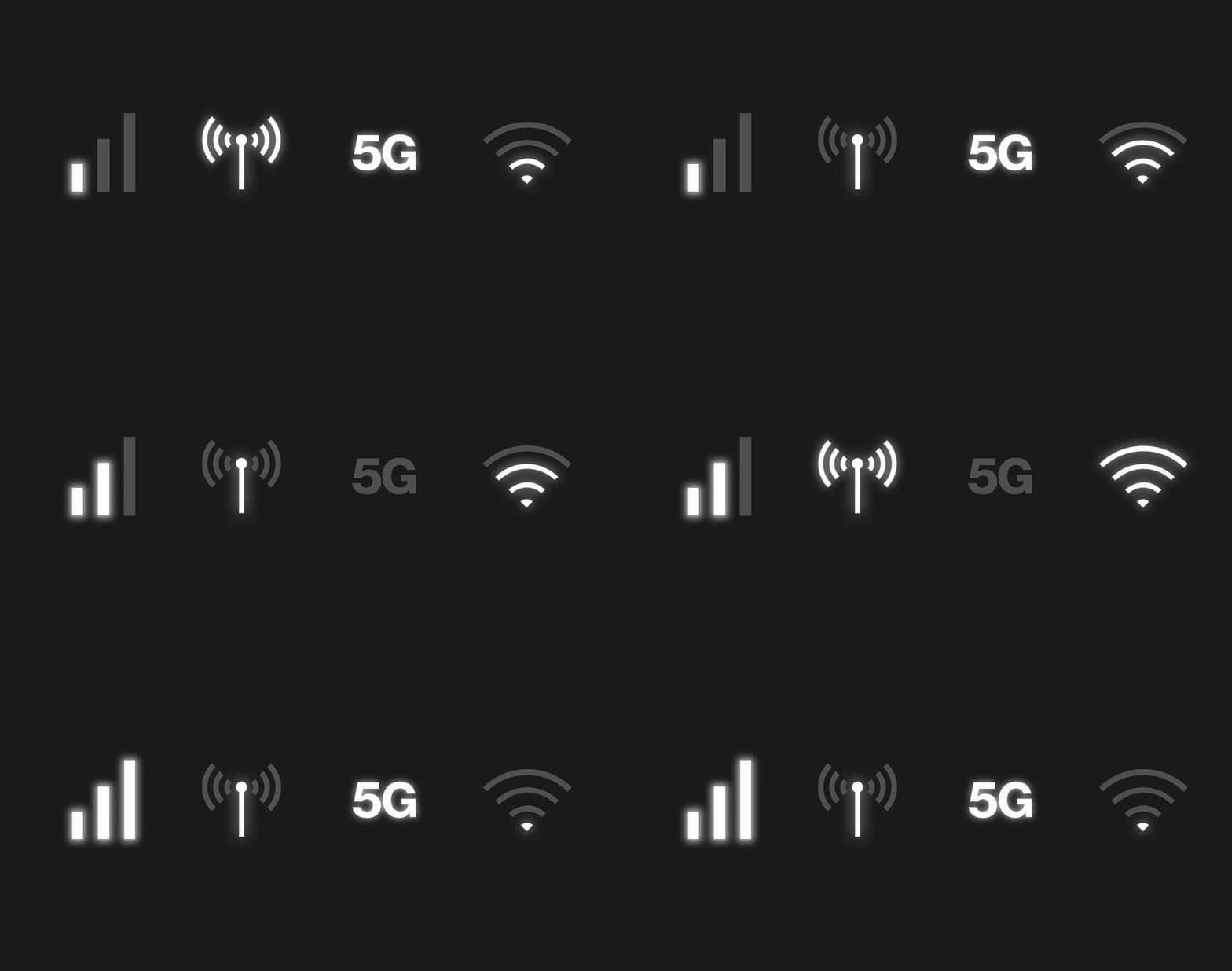
Early ideas different for improved visual indicators, such as screens, icons, and LEDs on the router, to communicate placement and connection status more clearly. Conducted software and hardware testing in real-life scenarios to ensure users could understand the indicators without relying on the app.
Verizon customers were struggling to find the products. My team and I set out to update & simplify the My Verizon App information architecture. I was focused on revamping the IA for the shop experience in order to enable easy navigation & promote the discovery of new products.
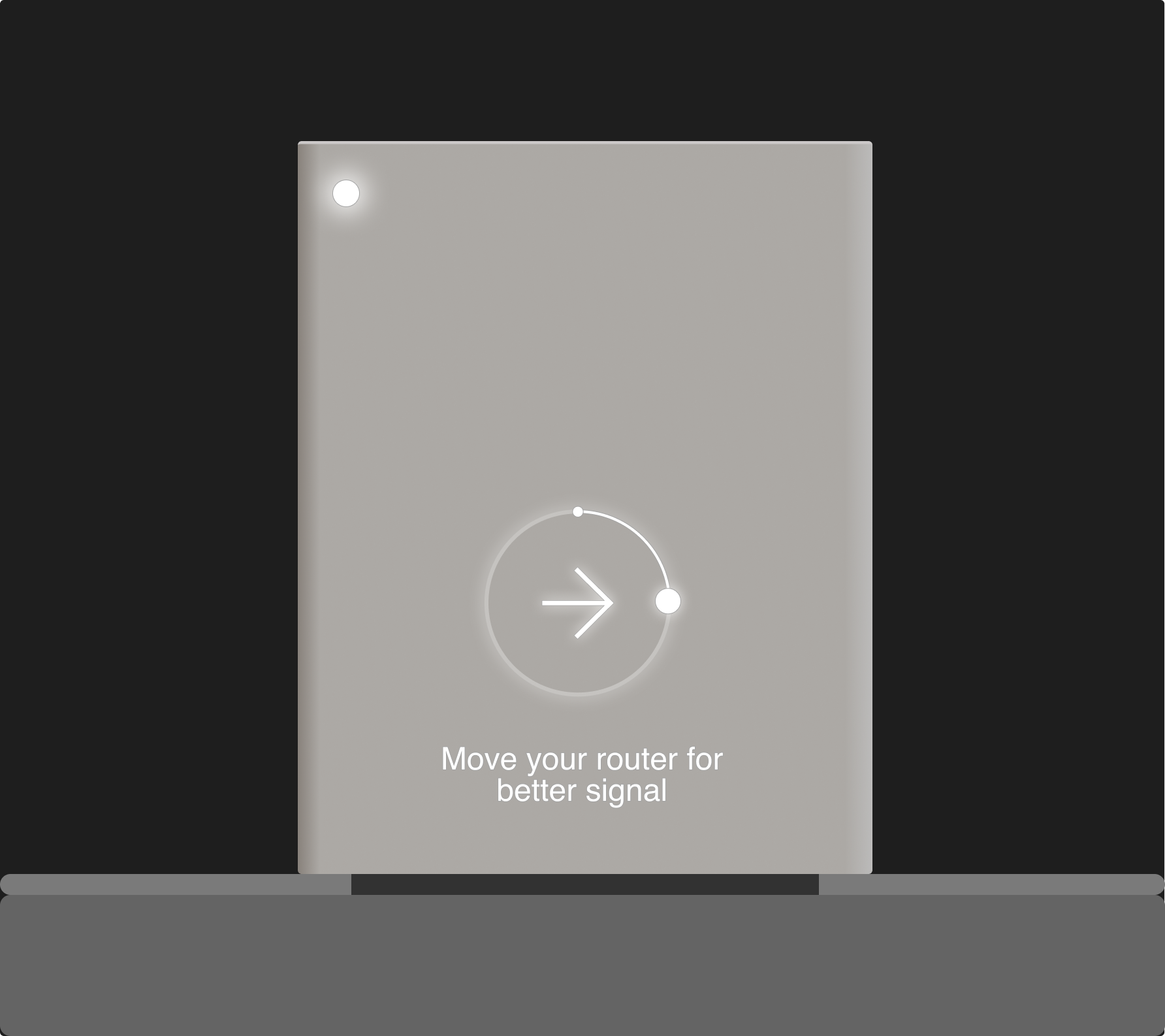
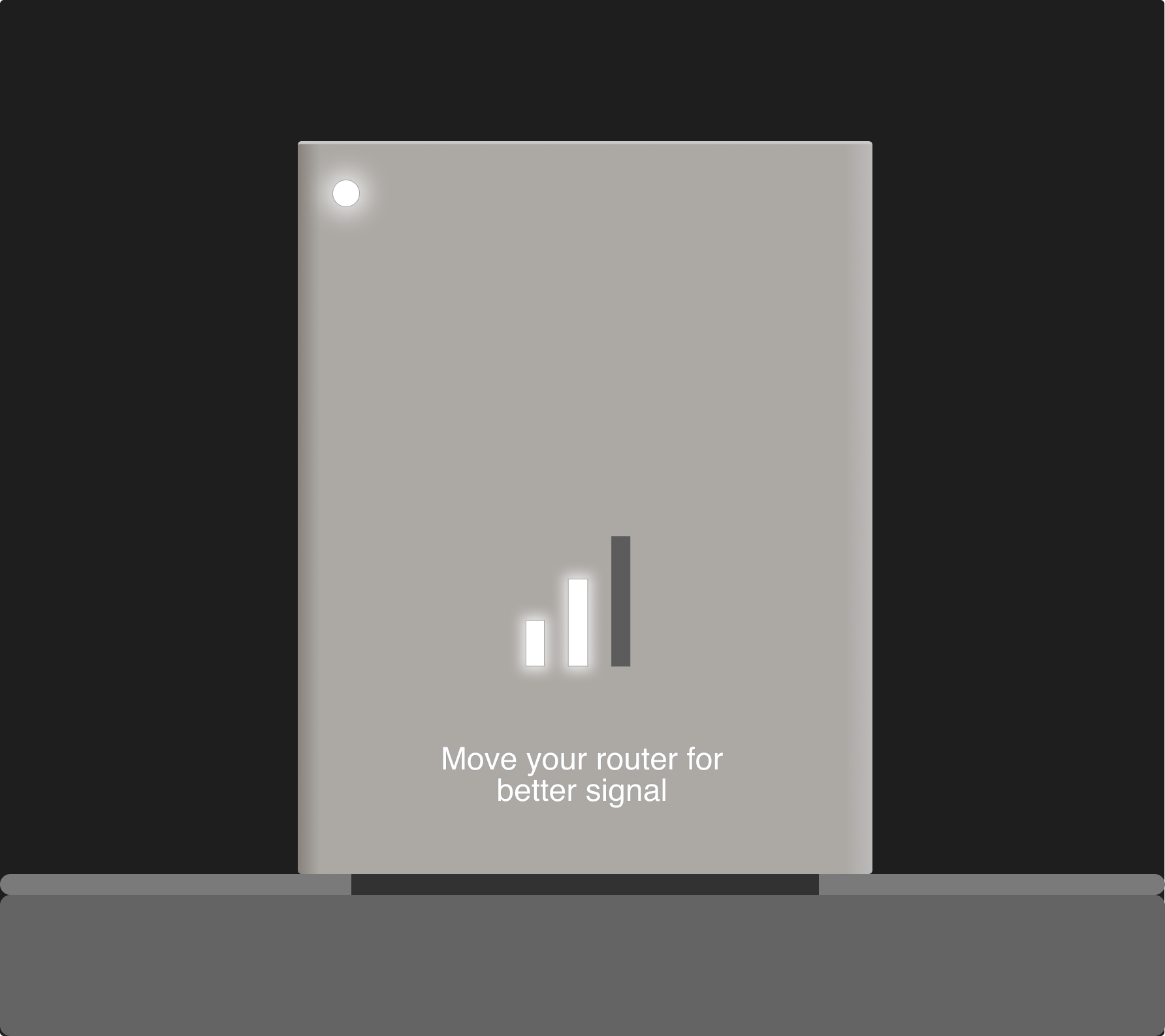
Users were able to comprehend the both concepts for signal finding. Users preferred the WiFi style concept more as it was most familiar. A few participants found that compass concept was too similar location services & caused concern.
The results were a mixed bag. While we saw an 11% increase in users understanding how 5G routers work, only 3% of users found the new on-router interface helpful. I firmly believe the product had the potential to be significantly better, but tight timelines and manufacturing costs pressured the team to move forward quickly.
Hardware Design Impacts Usability:
Physical design elements, like form factor and placement flexibility, were critical for improving the installation experience and overall customer satisfaction.
Plan for 5G Education Campaigns:
Collaborate with marketing teams to create educational materials that demystify 5G technology and its benefits for customers.
App-Free Setup is Key for Accessibility:
Designing for users who install without the app ensured inclusivity and allowed more customers to complete setup successfully.
Simplification Reduces Frustration:
Streamlining the setup process and eliminating unnecessary steps significantly improved the user experience, emphasizing the importance of simplicity in hardware interactions.
Proactive Problem Solving Builds Confidence:
Anticipating customer pain points during installation helped address them upfront, creating a more seamless and frustration-free experience.
Conduct Usability Testing with Diverse User Groups:
Expand testing to include users with varying levels of technical proficiency to identify areas where setup can be simplified further.
Enhance Setup Instructions:
Develop more intuitive, visually driven installation guides and include troubleshooting tips to address common issues during setup.
Collaborate on Next-Generation Hardware Design:
Partner with hardware teams to prioritize form factors and features that enhance usability, such as flexible mounting options or integrated signal indicators.
Integrate Setup Analytics:
Track user interactions during setup to identify drop-off points and areas where users face difficulties, enabling data-driven refinements.
Develop Localization Strategies:
Tailor setup experiences for international markets by addressing language preferences, cultural nuances, and regional compliance requirements.